
Connect your Pages
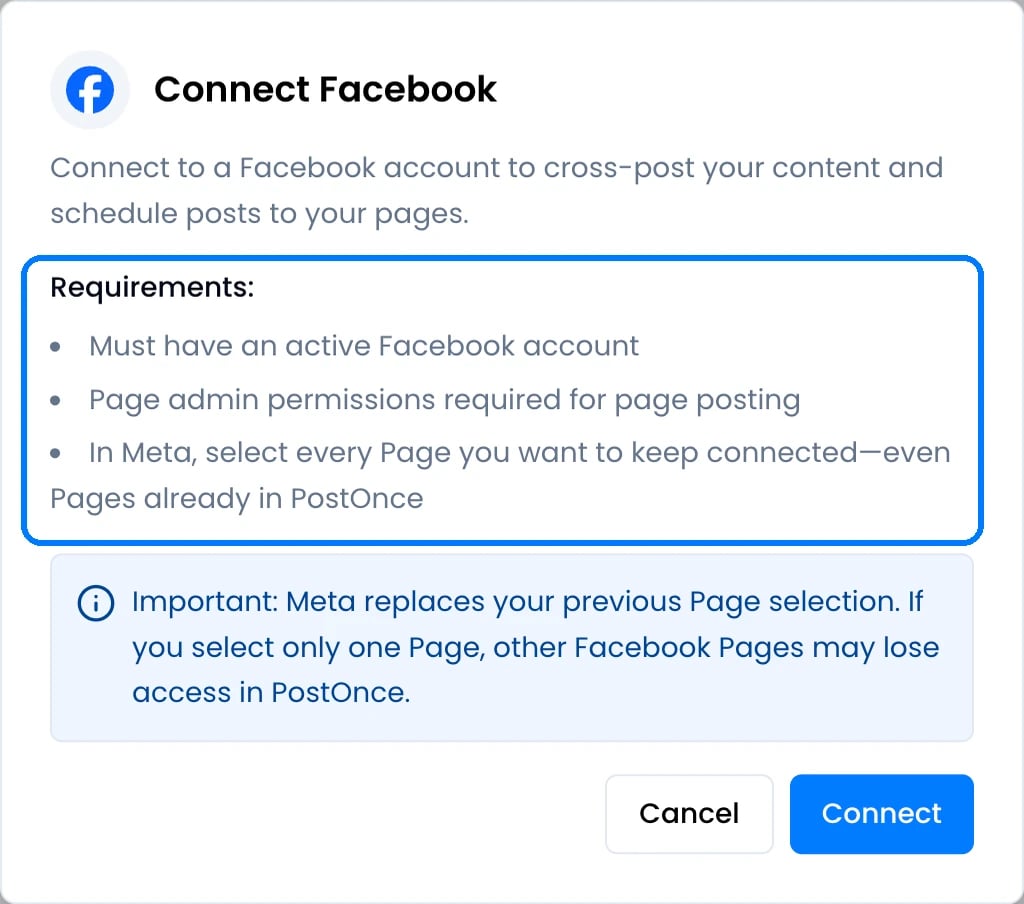
- On Accounts, click Connect Facebook, then Connect.
- When Facebook asks, select every Page you want in PostOnce, including Pages you connected before.
- If you manage several Pages, PostOnce shows Choose Facebook Pages. Tick the Pages to connect and click Connect. Each Page counts as one account on your plan.
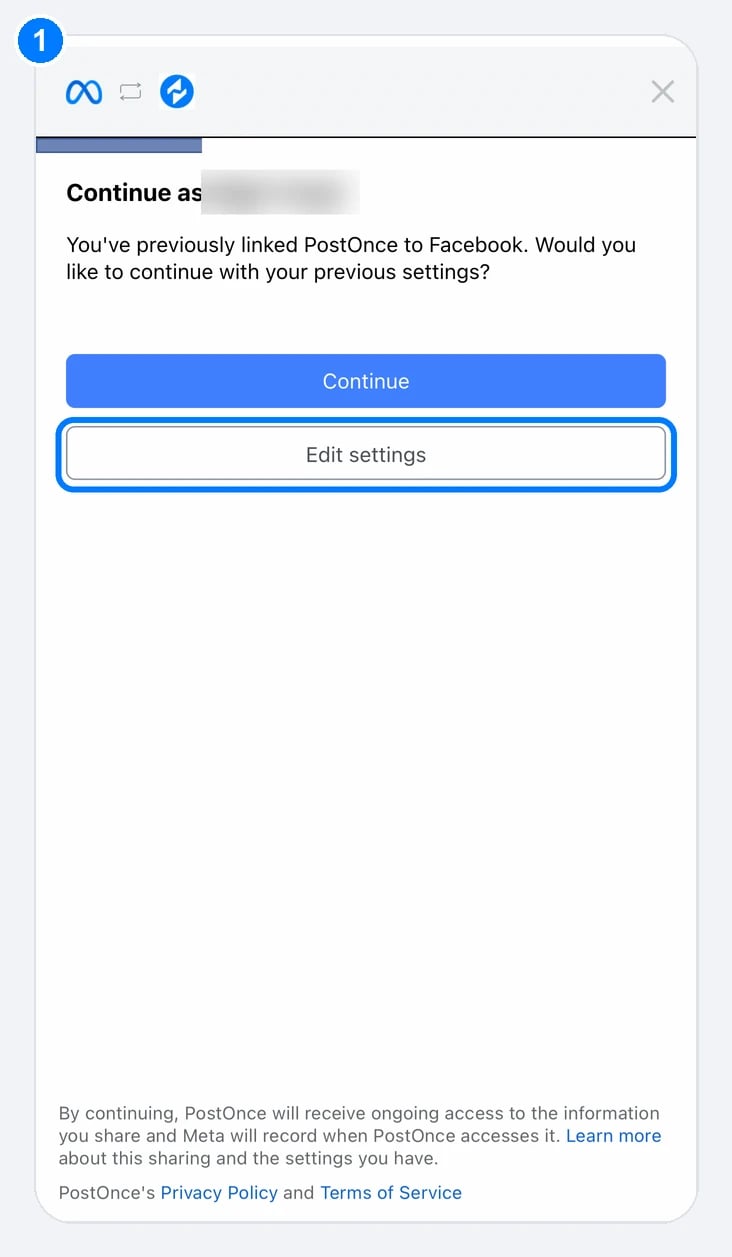
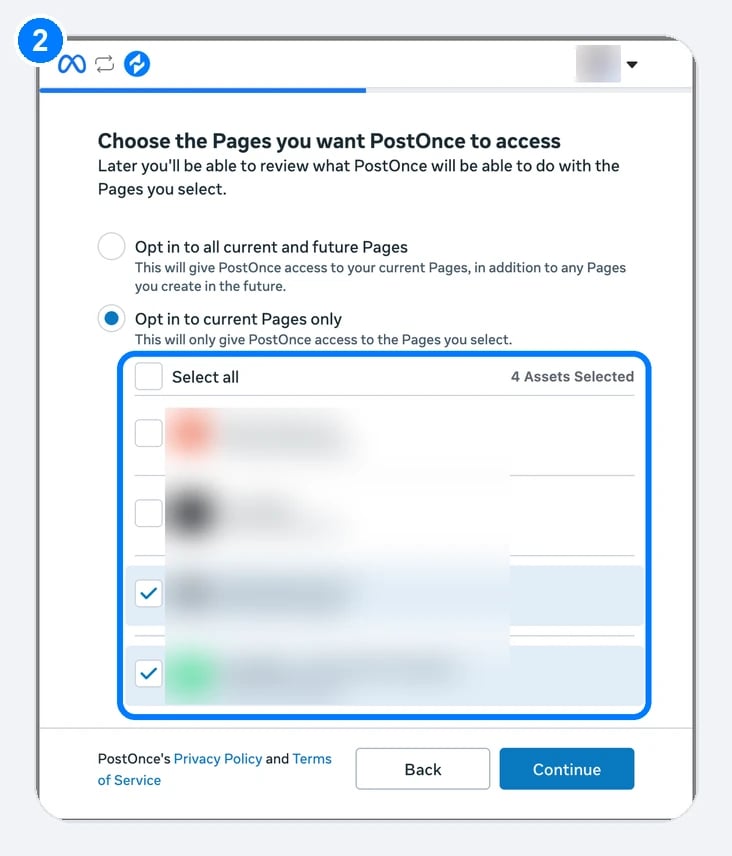
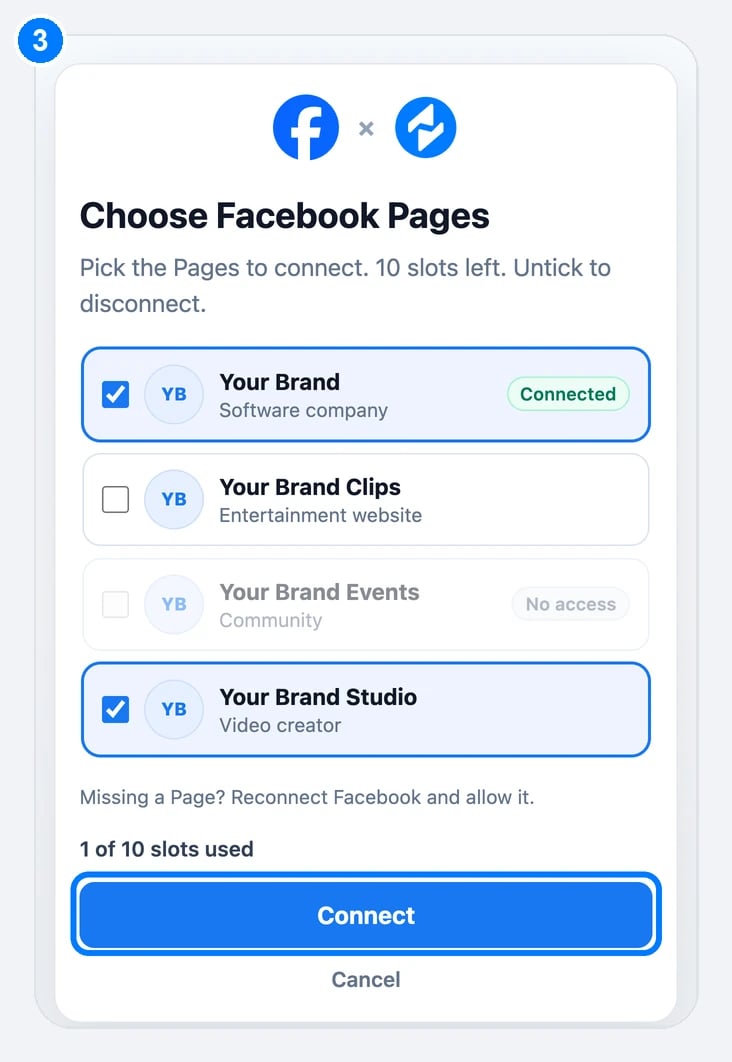
Facebook asks you to continue (1). Tap Edit settings to choose your Pages (2) and tick every Page you want in PostOnce. If you manage several Pages, PostOnce then shows Choose Facebook Pages (3): tick the Pages and click Connect.
If no Page appears, make sure your Facebook profile has full control or admin access to the Page, then connect again. Missing a Page in the picker? Reconnect Facebook and allow that Page.Facebook as a source
- PostOnce copies the Page’s posts, including shared posts. Page Stories are copied only if you turn on Stories in the workflow.
- PostOnce checks Facebook for new posts every 10 minutes, or less often if the account hasn’t posted for a few days (schedule).
Publishing to a Page
Facebook Reels must be vertical, at least 540 × 960 pixels, 3 to 90 seconds long and 24 to 60 frames per second. PostOnce adds bars to videos that are much taller or wider than Facebook allows, so they aren’t rejected. Links go in the post text.